
Everything on both screens.
PoseDeck runs the shoot from your side of the iPhone Duo and shows the pose on theirs. Here is what each side does.
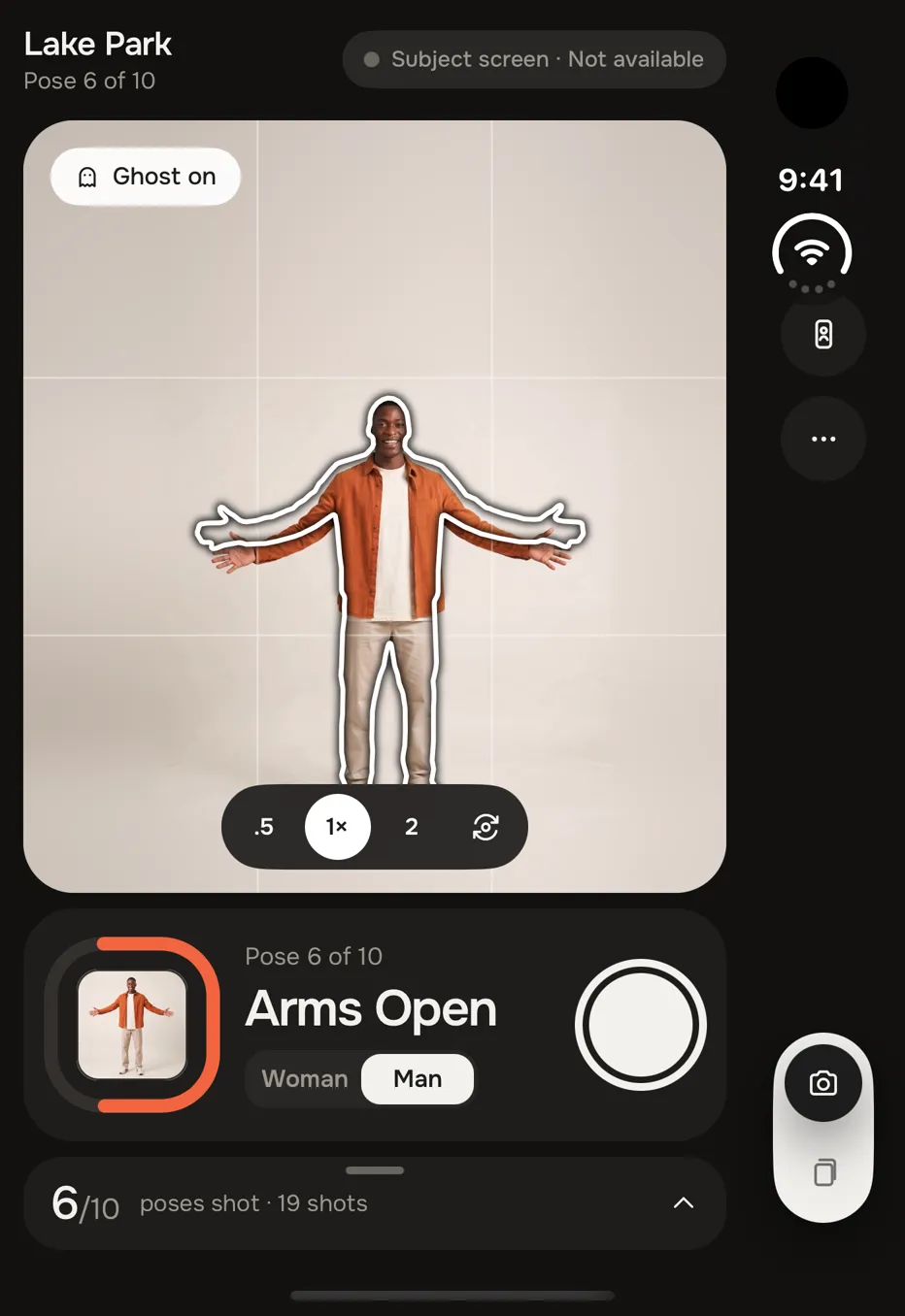
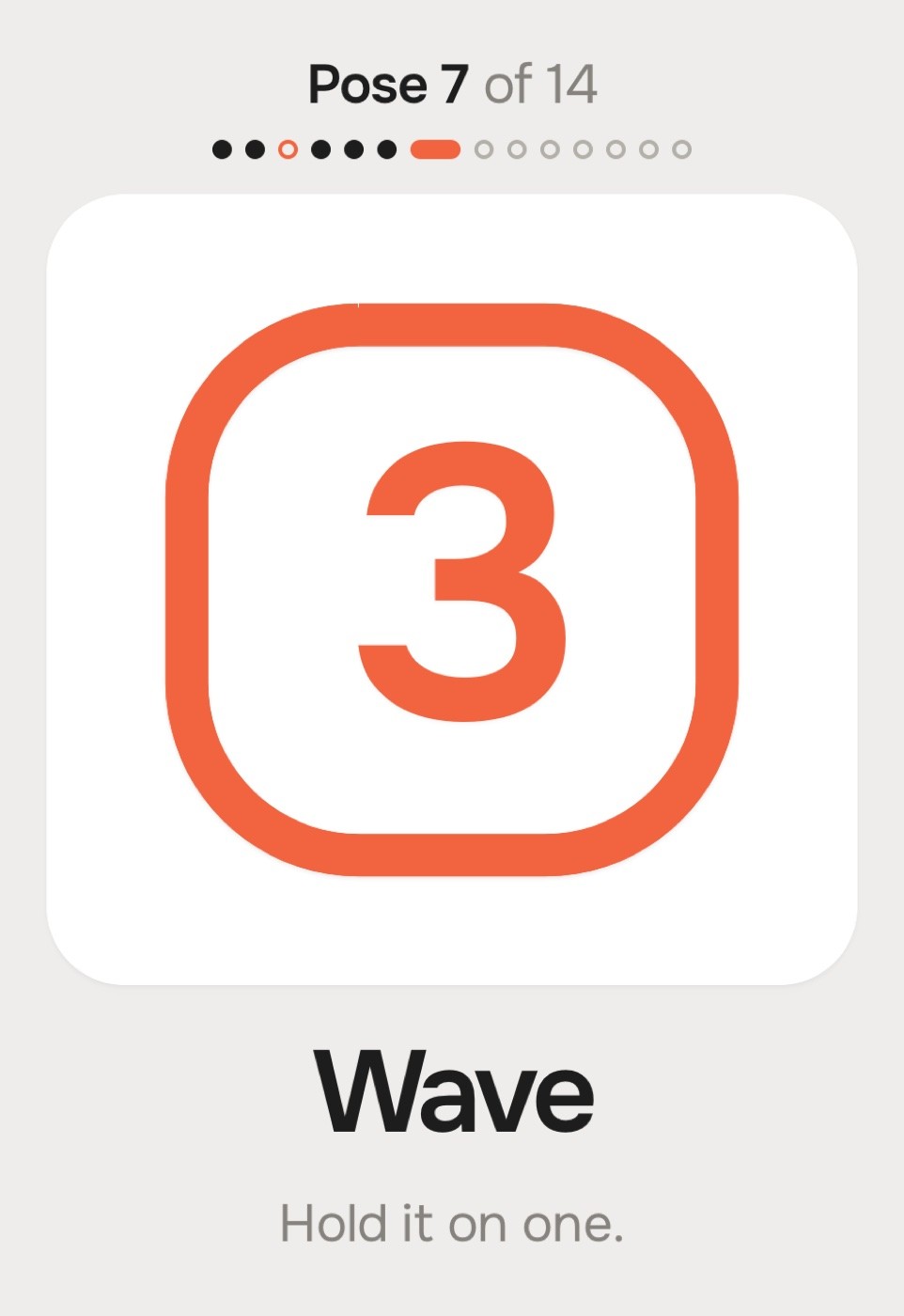
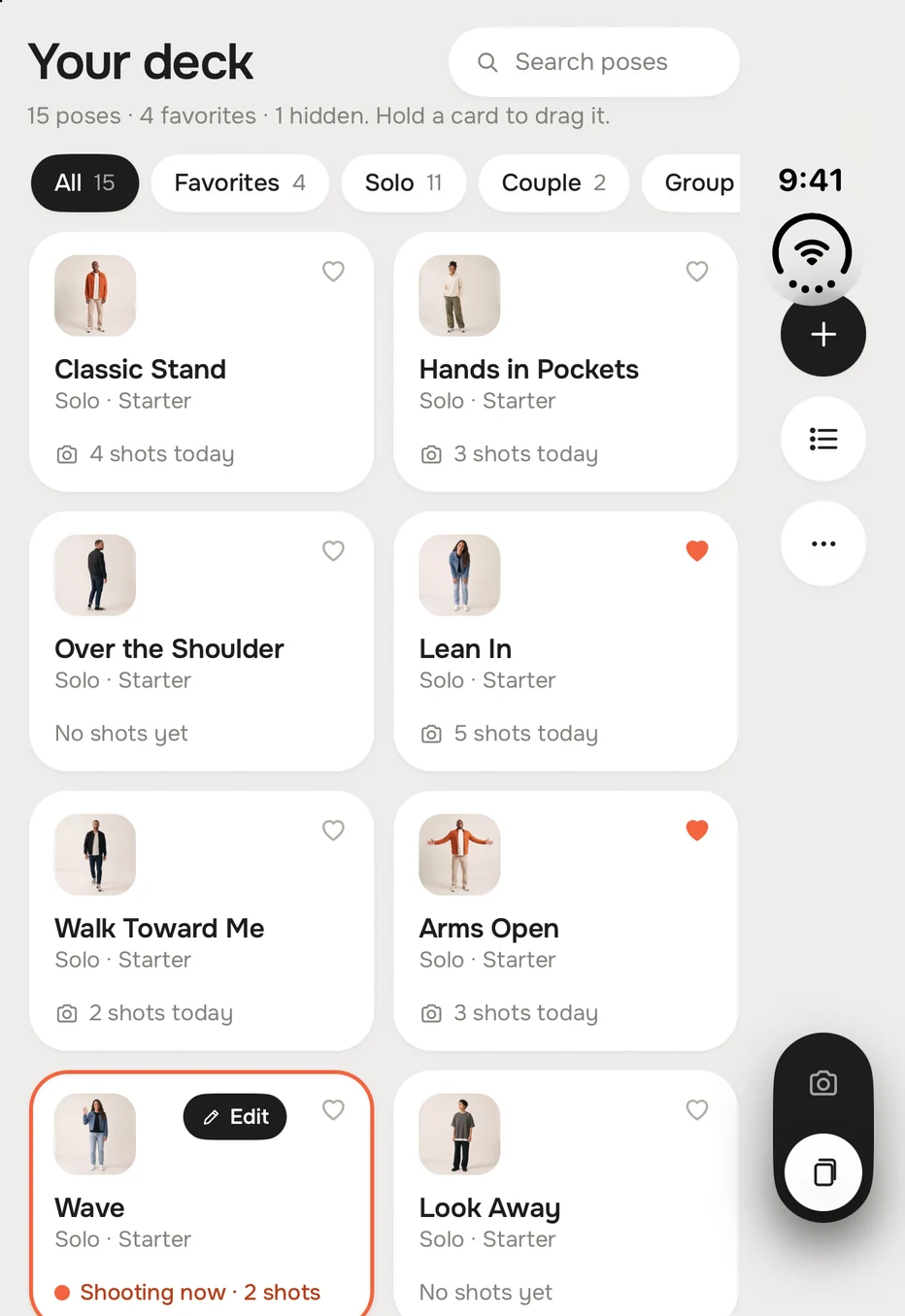
Your side runs the shoot.
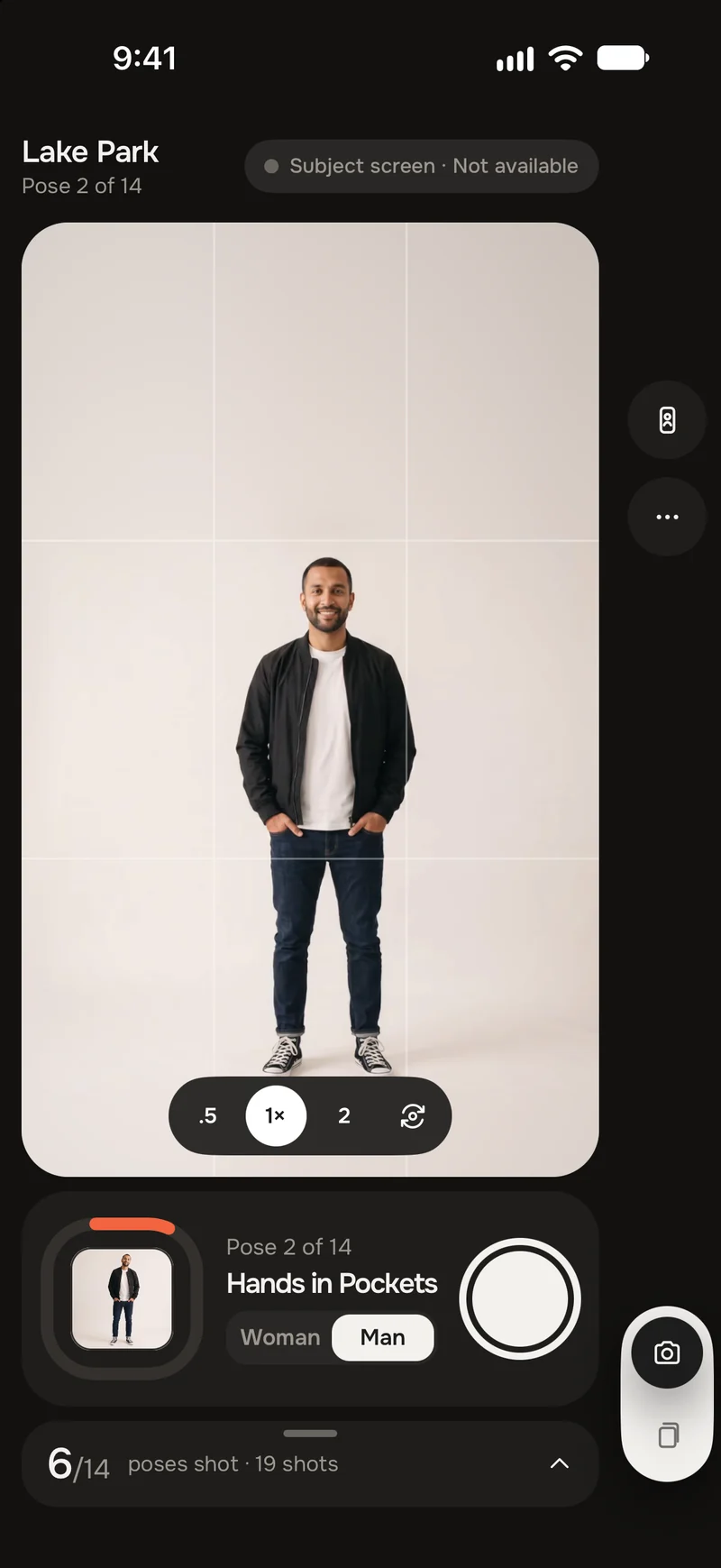
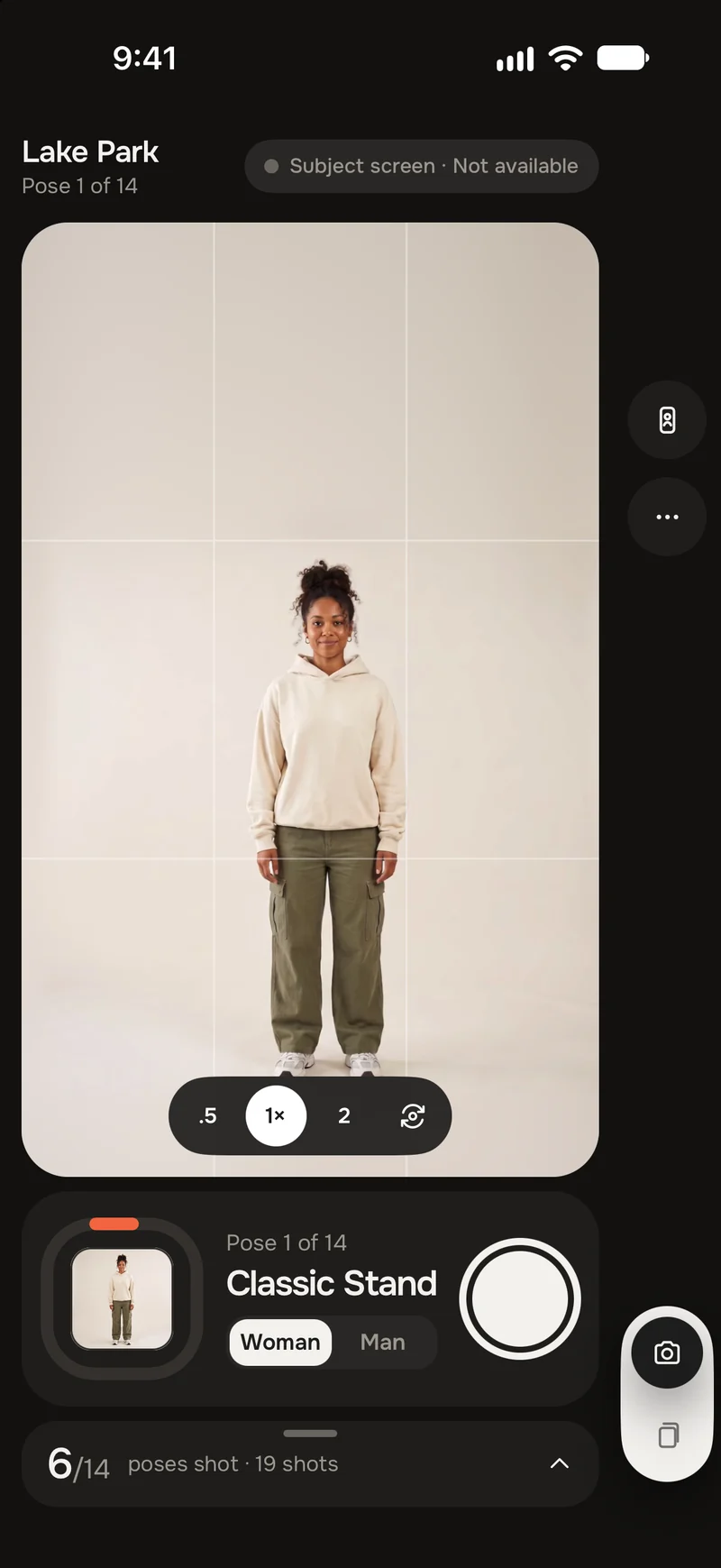
The camera sits on the left. The pose bar sits under it with the pose name, its cue and the shutter. On the right you see how many poses you have shot, which ones are still missing and every shot so far.
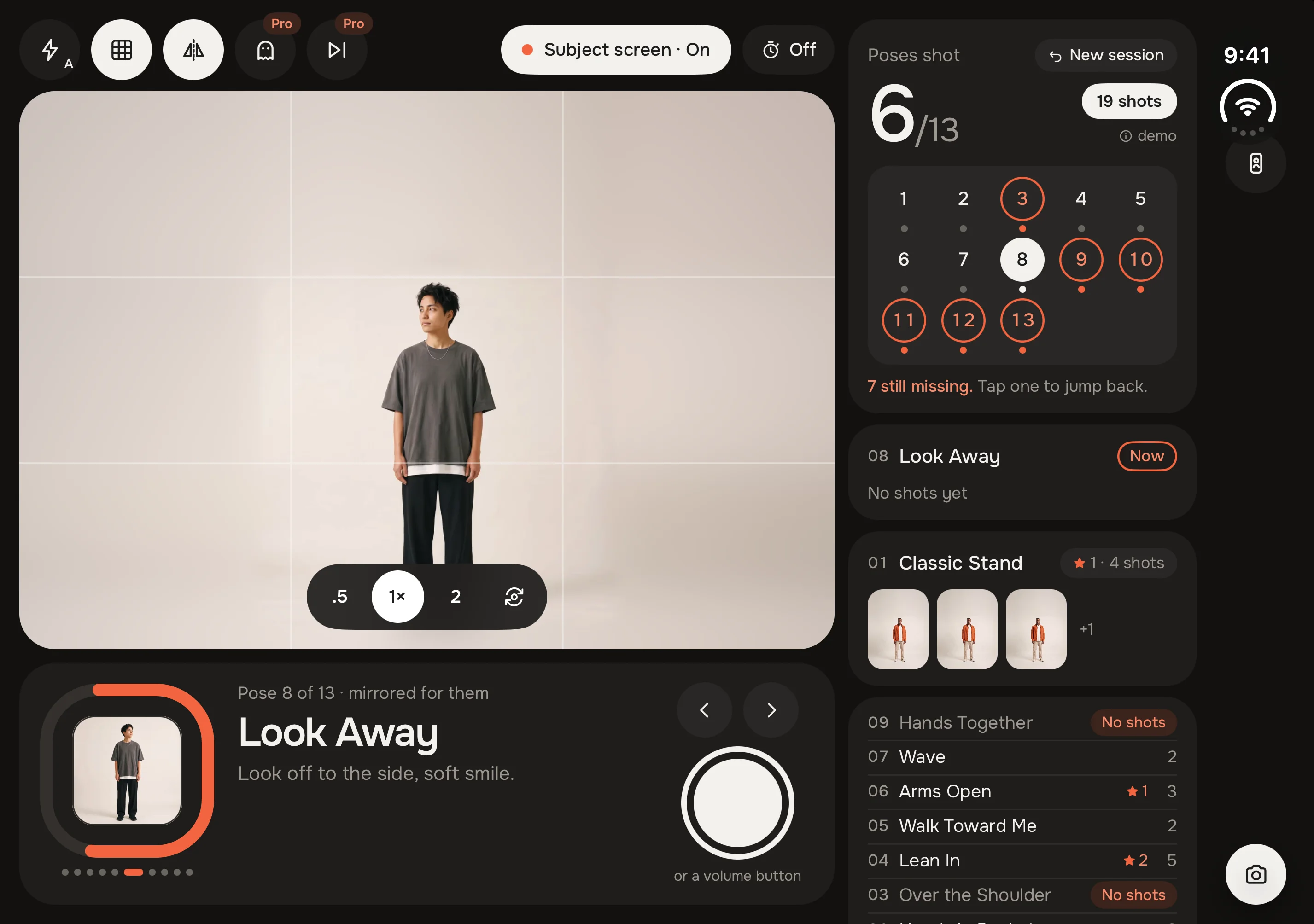

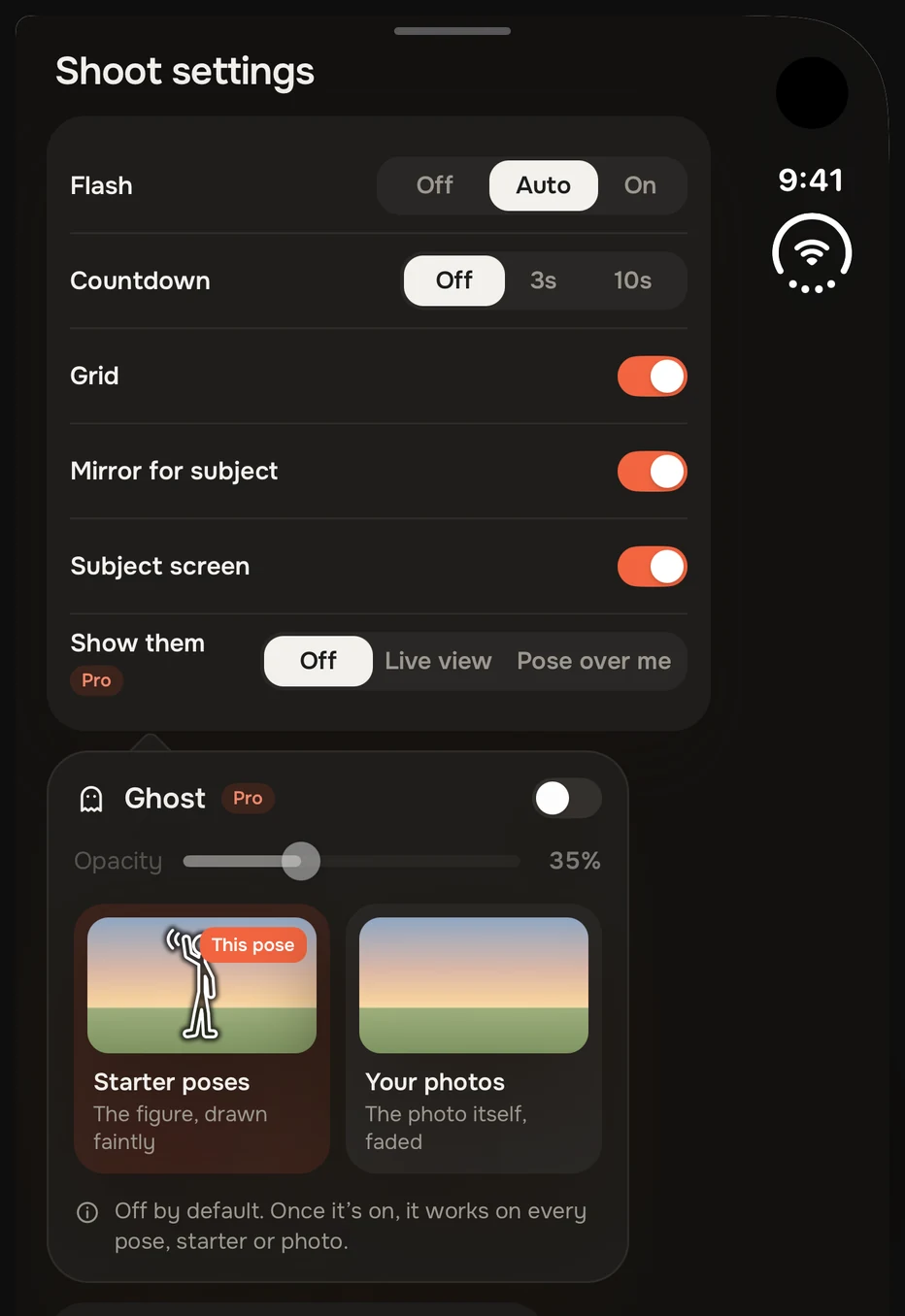
- Ultra wide, 1x and 2x, with flash, grid and focus.
- Take the photo with the shutter or a volume button.
- Set a 3 or 10 second countdown.
- Step back and forward through the deck from the pose bar.
Their side shows the pose.
While you shoot on the open iPhone Duo, the outer screen faces your friend. It shows the pose moving, its name, one cue and where you are in the deck. When the countdown starts, both screens count down together.

- Each pose plays as a short looping clip.
- Mirror the clip so their left matches your left.
- Pick a woman or a man to show each pose.
No Duo? Turn it round.
On any other iPhone, tap Show subject. The pose fills the screen. Turn the phone round so your friend can see it, then turn it back and take the photo.
Ten poses to start.
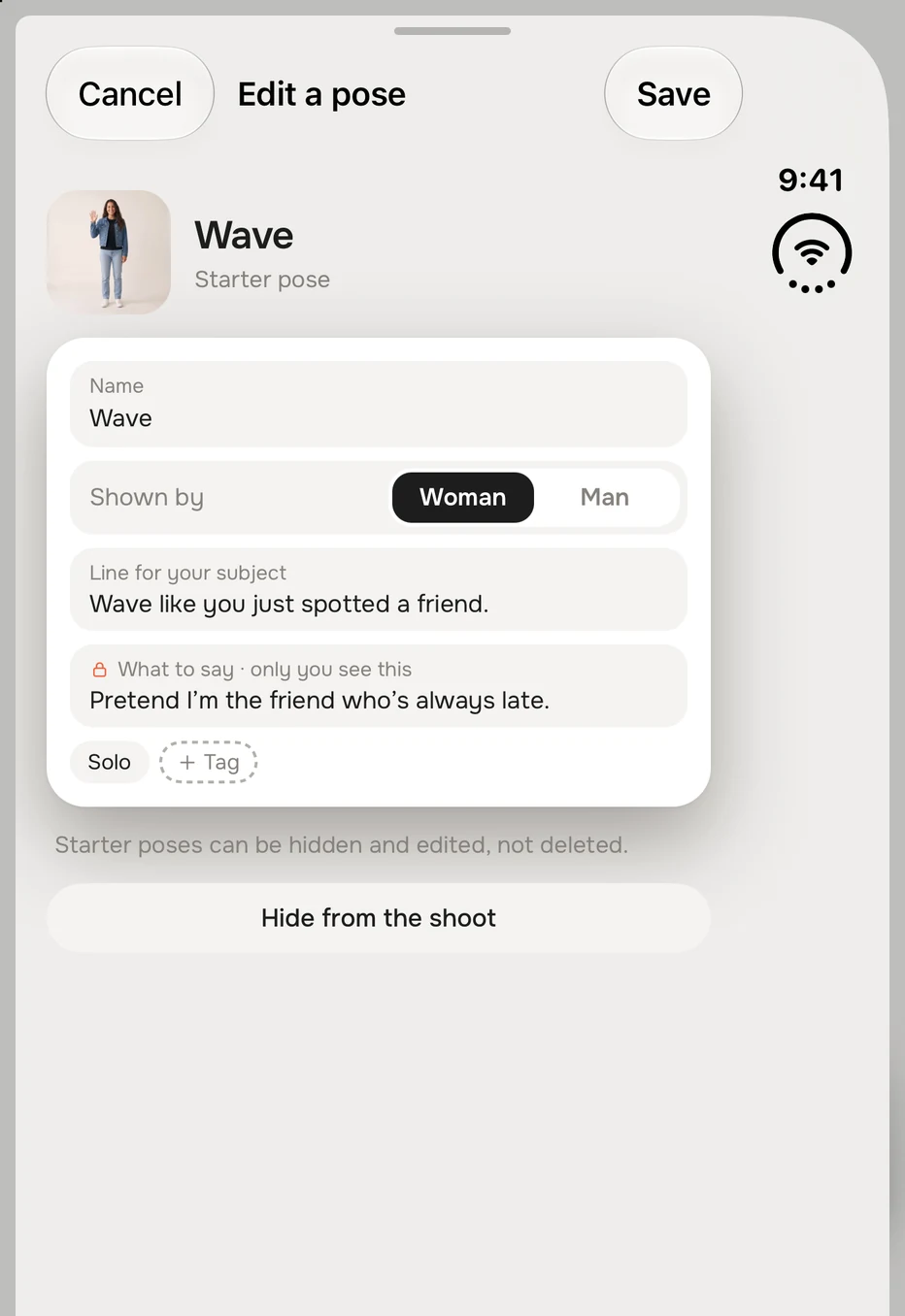
Each starter pose comes with a name, a short cue and a clip in two versions. Rename them, rewrite the cue or add your own notes.
-
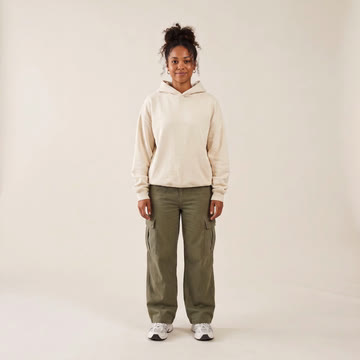
Classic Stand
Weight on your back foot, turn slightly to the side.
-

Hands in Pockets
Thumbs out, shoulders down and relaxed.
-

Over the Shoulder
Turn away, then look back at the lens.
-

Lean In
Lean toward the camera from the hips, chin slightly down.
-

Walk Toward Me
Walk slowly and look just past the camera.
-

Arms Open
Arms wide, big laugh.
-

Wave
Wave like you just spotted a friend.
-

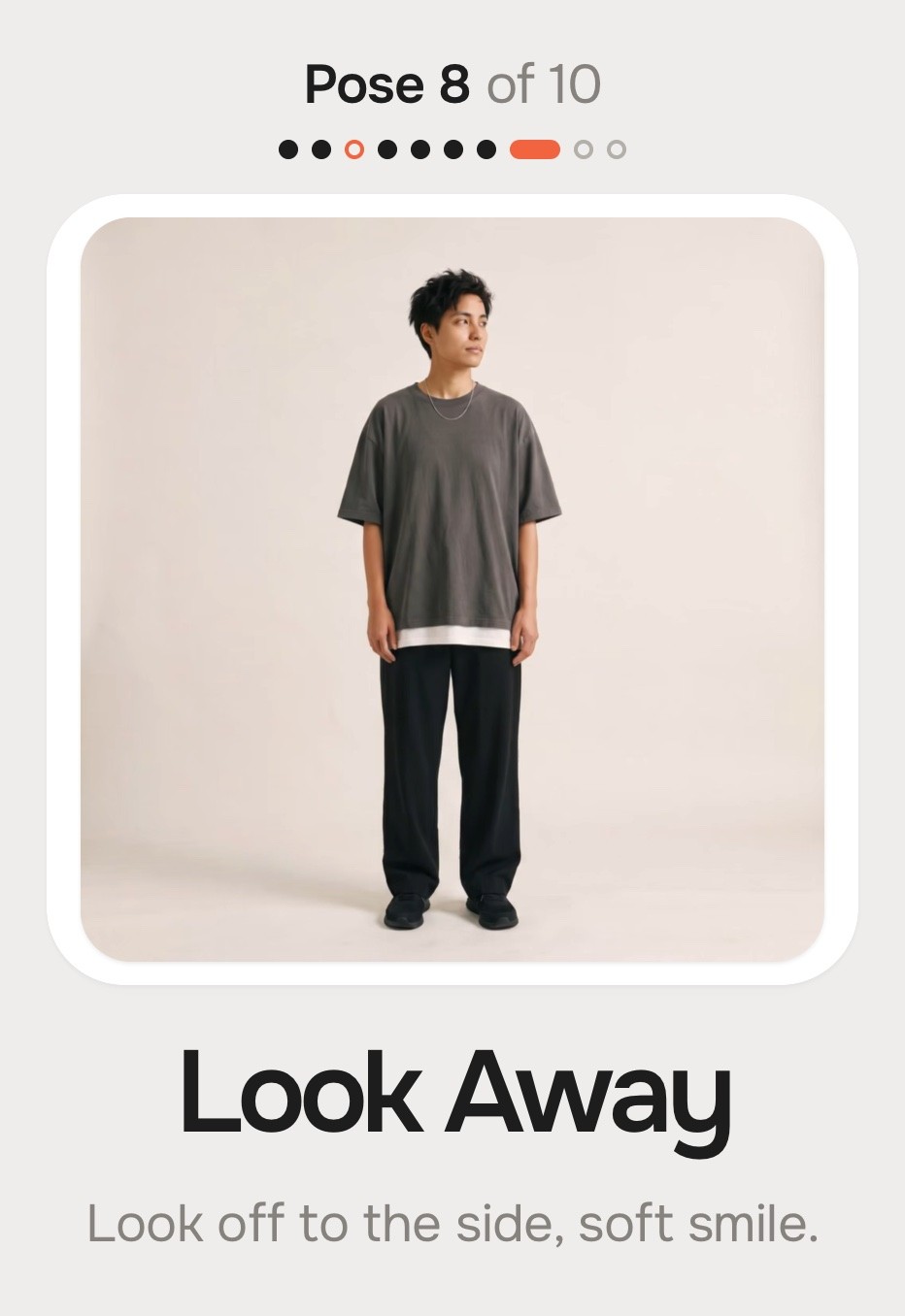
Look Away
Look off to the side, soft smile.
-
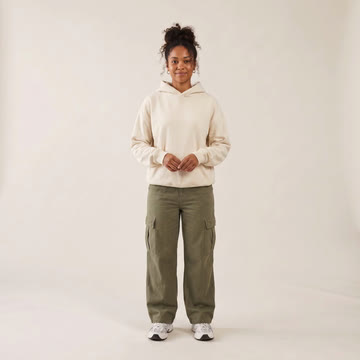
Hands Together
Hands loosely clasped in front, relax your elbows.
-

Jump
Jump on three!
The people in the clips were made with AI.
Put the poses in your order.
A deck is the list you shoot through. Drag poses into order, favourite the ones you come back to and hide the ones you don't need today. Tag a deck Solo, Couple or Group, or give it a tag of your own.
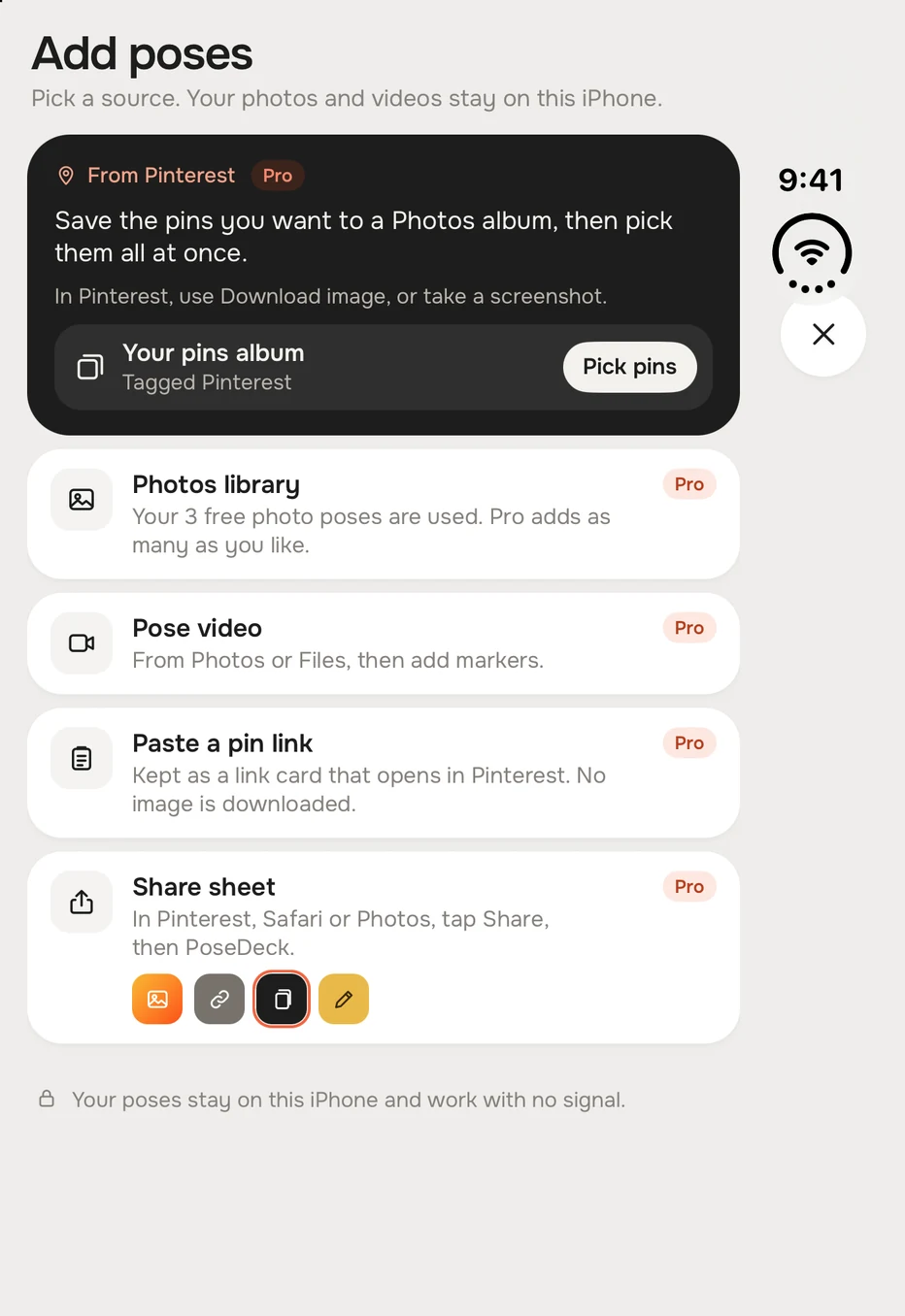
Add poses you've saved.
Pick a photo from your library and it becomes a pose, with its own name and cue. Free includes three photo poses of your own.
With Pro, add as many as you like, turn a video into a pose and mark the moments that matter, keep a Pinterest board saved to a Photos album in step, paste a pin link, or send pictures to PoseDeck from the share sheet.
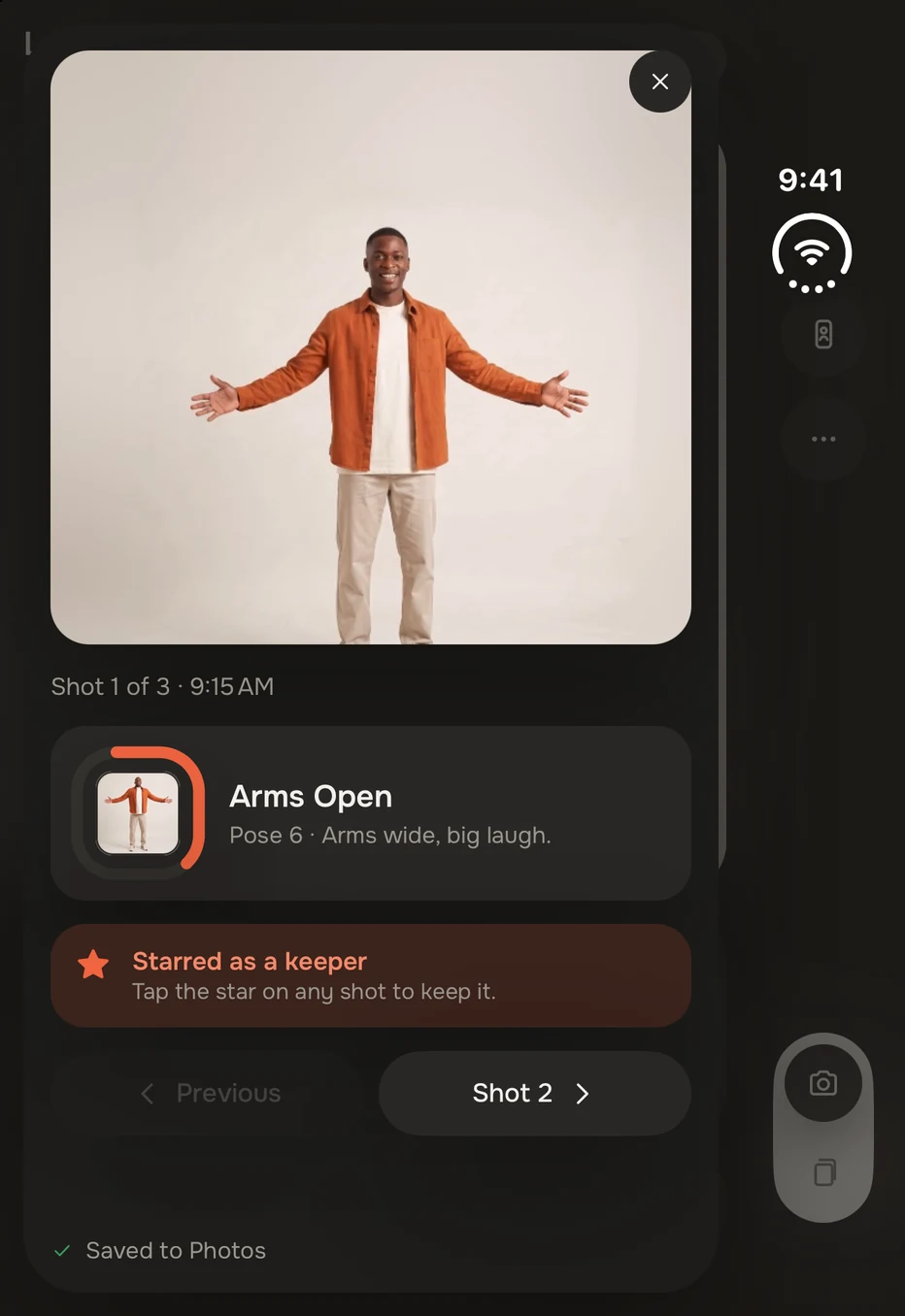
Every shot, sorted by pose.
Shots land in the reel grouped under the pose they belong to. Star your keepers. Still missing shows the poses you haven't shot yet, and a tap takes you back to one. Start a new session when you move on. Every photo also saves to your Photos library.
Extra help with Pro.
- Ghost: a thin outline of the pose over your camera, so you can line your friend up. Set how strong it shows.
- Auto-advance: move to the next pose after each shot.
- Live view on their screen, with the pose drawn over them.
Free to start. Pro when you want more.
Free
- The camera and their screen
- All ten starter poses, both versions
- Names, cues, mirror and notes
- Deck, tags and the reel
- Three photo poses of your own
Pro
- Unlimited photo poses
- Pose videos with markers
- Pinterest album, pin links and the share sheet
- Ghost outline
- Auto-advance
- Live view on their screen
- Monthly $7.99 a month
- Yearly $49.99 a year, with a 7-day free trial
- Lifetime $119.99 once
Prices in US dollars. The App Store shows the price in your own currency before you buy. Lifetime lasts as long as PoseDeck is offered and includes every future update and new pose.
If Pro ends, the poses you imported keep working. Nothing you made is deleted.
Your poses stay on your iPhone.
No account and no ads. Your deck, your notes and your photos stay on the device and work with no signal. Purchases go through the App Store.
Read the Privacy Policy